How to Pay an Online Invoice Using ACH
Last updated: November 9, 2026
Paying your invoice with ACH (Automated Clearing House) is a secure and convenient alternative to paper checks or credit cards. Follow these simple steps to pay an online invoice using your bank account.
Steps to Pay an Invoice via ACH
1. Open the Invoice Email
Check your inbox for an email from docket@yourdocket.com.
Click the “View Invoice” button in the email.
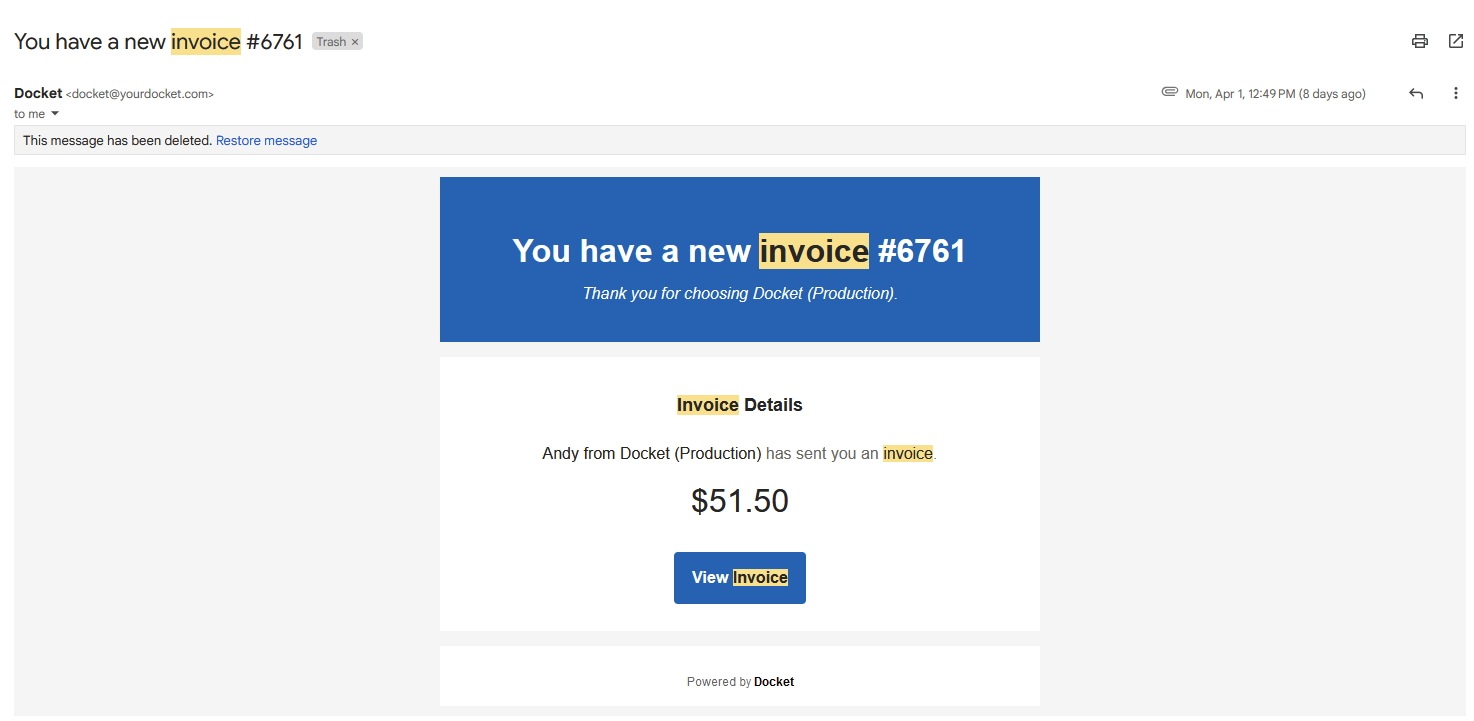
2. Select the Invoice to Pay
Scroll to the invoice you need to pay.
Click “Pay Invoice.”
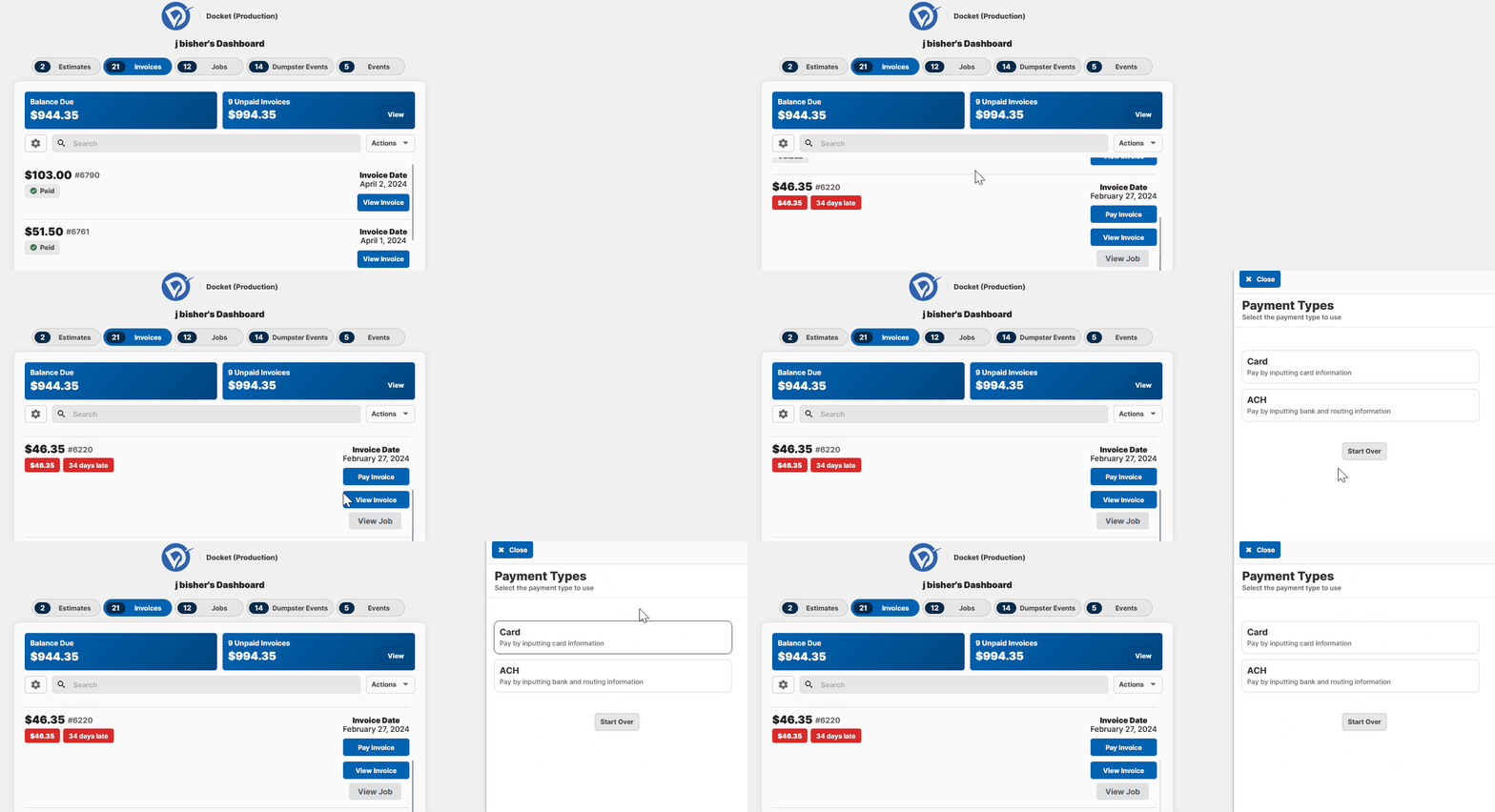
3. Choose ACH as Your Payment Method
On the right side of the screen, select ACH Payment.
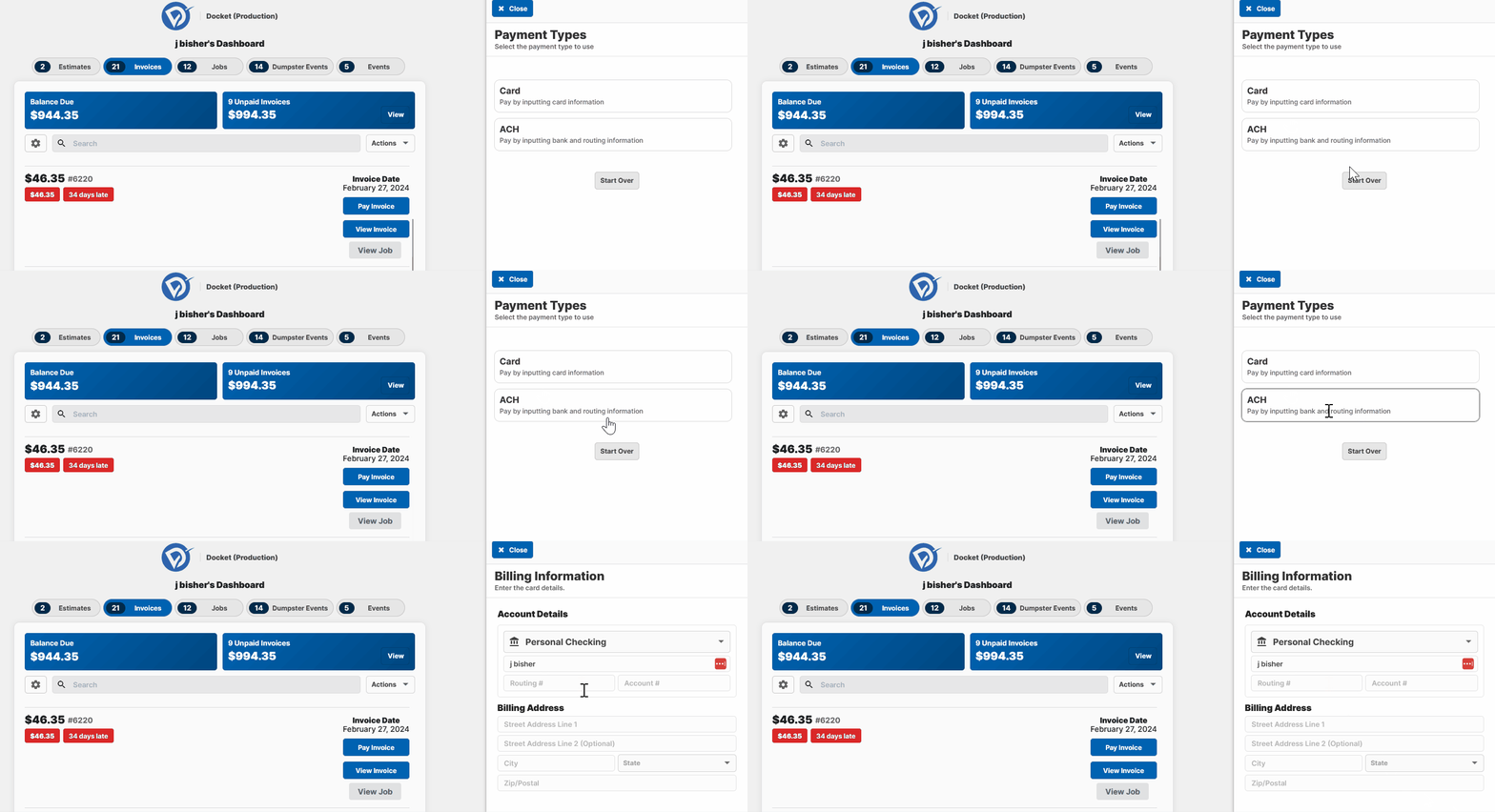
4. Enter Your Bank Information
Choose your bank account type (Checking or Savings).
Fill in the required details:
Bank Account Number
Routing Number
Billing Address

5. Submit Your Payment
Click “Submit Payment.”
Once you see the confirmation screen, your payment has been processed successfully.
Why Use ACH Payments?
Benefit | Why It Matters |
|---|---|
🔒 More Secure | Reduces the risk of lost or stolen checks. |
💲 Lower Fees | ACH is often cheaper than credit card payments. |
✅ Convenient | Pay directly from your bank account, no checks needed. |
Need Help?
If you have any questions or issues with your payment, contact docketpay@yourdocket.com for assistance.